AI Will avatar

AI Will

@FinanceYF5

7/10/2025, 8:14:08 AM

🚨 如何用Veo 3制作更长的视频:

Justine Moore(a16z合伙人)花了几个小时实验新的图像到视频模式。

她发现了一种方法,可以生成一致且连贯的故事,比8秒的限制要长得多。

教程和技巧👇原文 https://t.co/LljG8jAwmS
首先:Veo 3仍然每次只能生成8秒的视频。

但你可以通过将一个片段的结尾帧作为下一个片段的起始帧来“延长”这个时间。

这听起来很简单,但实际上有点挑剔。这个经验为了让你避免浪费积分。
https://t.co/khTLNcqu5y
(1) 记住,最后一个片段的结尾帧是模型唯一的上下文。

因此,任何你希望之后再次出现的角色、物体或环境都必须出现在那个帧中。

例如,如果想让女人出现在下一个场景中,这个片段就不起作用。
https://t.co/GlfbbcQhA1
(2) 要知道,模型将使用图像中出现的内容来驱动未来的动作。

有时候,这会超过你的文本提示。

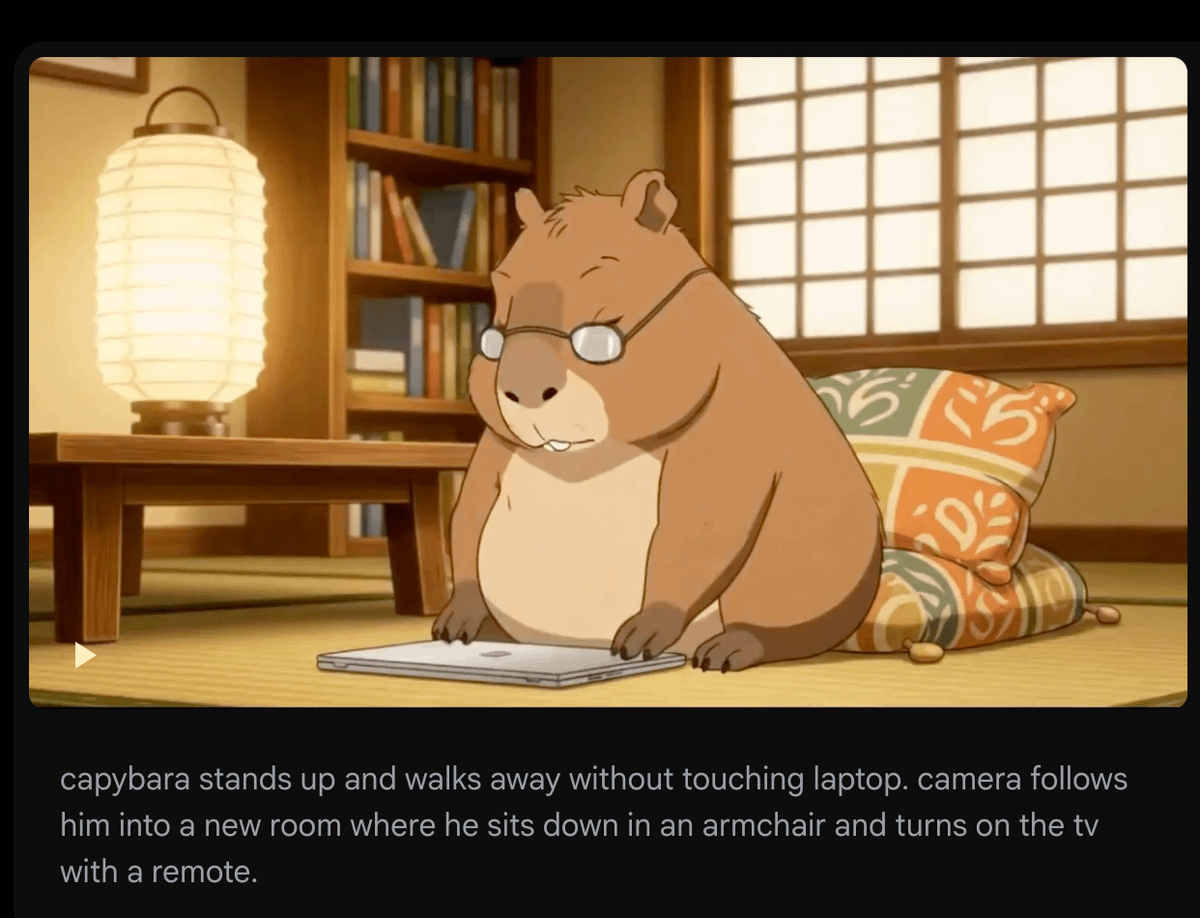
例如:一个关于水豚关掉电脑的片段。用结尾帧(在这里)来驱动下一个片段,在那个片段中我希望它起身走开。

这里明确地提示了超过10次。但因为它的爪子在电脑上,模型每次都会让它重新打开电脑! https://t.co/M85KJiU4pZ
tweet media
(3) 你不能上传自己的音频,所以无法在多个片段中保持一致的角色声音。

有时通过提示特征(如口音、年龄、语调)会起作用。但并不完美——下面听一下同一个人跨两个片段的对话。

要解决这个问题,你可以选择:
1.) 在ElevenLabs上生成一致声音的片段,并用它们作为配音(将Veo视频中人物说话的部分静音)
2.) 直接使用Hedra,它让这个过程更容易!
(4) 在不同环境中放置相同角色时并不完美。

如果你想改变服装或场景,但保持角色一致性,推荐先使用Flux Kontext编辑图像。

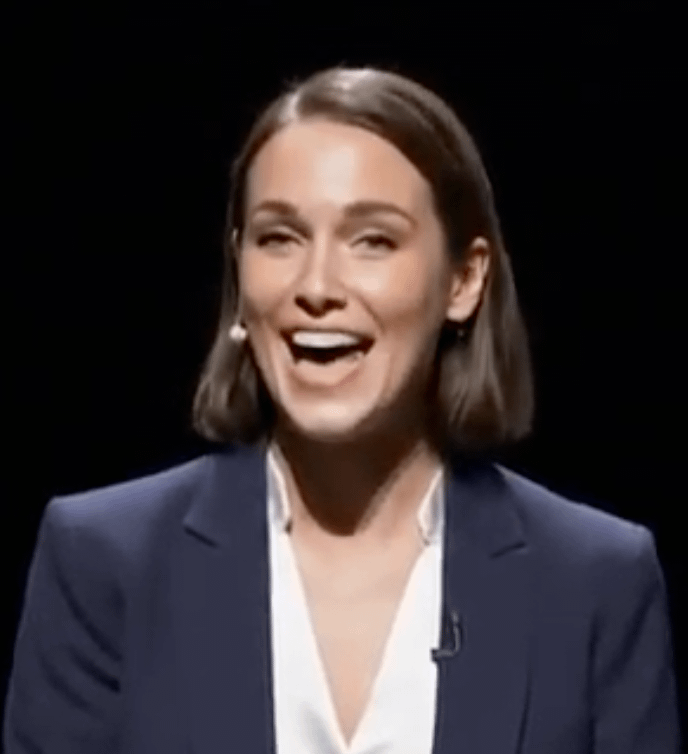
在这种情况下,这里上传了角色的照片,并要求Kontext把她放在舞台上穿着专业服装。然后将输出结果作为在Veo 3上的新起始帧。
https://t.co/A4SggcQsYF
(5) 细节在多次迭代中有时会退化。

比较一下第一个视频中女性发言者的脸部(在第一个片段)和第5个片段中的脸部。就像打电话传话一样——细节每次都会变化,而且这些变化会累积。

还没有找到解决办法。幸运的是,我们对非自己脸部的变化不那么敏感 😂 https://t.co/tOnbpOi4gc
tweet mediatweet media
GenAI Week 2025 Silicon Valley:湾区数万人大会!

🔗 Will粉丝专属购票链接(可享受15%优惠):
https://t.co/u9Pp4EwHyO

官网:https://t.co/M6zVgzltQJ
地点:圣克拉拉会议中心
时间:2025年7月13日~17日

超20 家国际媒体出席并进行广泛报道
https://t.co/YfDHN82jd2
以上就是全部,原作者 @venturetwins

如果您喜欢这个主题:

1.关注我(@FinanceYF5)
2. 点赞+转发下面第一条帖子

https://t.co/hclid7V9FZ

Download twitter video from this saved page

TwitterXVideo preserves this conversation so you can download twitter video clips even if the original post disappears, keeping captions, hashtags, and timestamps intact.

Review every reply, attachment, and mention while you download video Twitter HD, GIFs, or audio, making it easy to rebuild the context for reporting and evergreen content.

After you download twitter video assets, translate the copy, refresh hashtags, and queue reposts or ad variants without leaving the saved tweet workspace.

How to download twitter video from this saved page

  1. Click the media thumbnail or download button to download twitter video in HD MP4 or compressed formats for quick sharing.
  2. Select any additional attachments to download video from Twitter GIFs or audio, then store the files alongside your download twitter video projects.
  3. Open the Translate panel to localize the text, update CTAs, and schedule reposts once your download twitter video review is complete.

Why marketers trust this download twitter video archive

  • Archive-friendly metadata keeps download twitter video audits aligned with compliance and rights management teams.
  • Integrated translator localizes captions around each download twitter video asset so global teams stay in sync.
  • One-click sharing pushes download twitter video recaps to teammates, clients, or DAM folders.
  • SEO-optimized slugs help download twitter video case studies rank for branded and campaign keywords.

Download twitter video FAQs

How do I download twitter videos from this saved page?

Press the download button above the media gallery to download twitter video immediately; the system bundles caption data and the original link for reference.

Can I download video from X Twitter in different resolutions?

Yes—choose from multiple bitrates when you download twitter video, including HD MP4 and lighter mobile options.

Does this page let me download twitter videos from private accounts?

You need viewing permission first; once you can see the content, the archive lets you download twitter video securely for approved use.

How can I download twitter video subtitles with the clip?

Use the Translate panel to export captions or create subtitles, then download twitter video together with the transcript for repurposing.

シェア
探索

TwitterXVideo

v1.2.2

Use our fastest way to download twitter video in HD free—no registration required.

facebooktwitterpinteresttumblrwhatsapp

お問い合わせ

support@crazykids.tech
TwitterXVideo - Download twitter video free online | Product Hunt

© 2024 TwitterXVideo 全ての権利を保有