Justine Moore avatar

Justine Moore

@venturetwins

7/9/2025, 3:40:51 PM

🚨 How to make longer videos with Veo 3: 

I've spent hours experimenting with the new image-to-video mode. 

And I've found a way to generate consistent + cohesive stories that are much longer than the 8 second limit.

Tutorial and tips to make it work 👇 https://t.co/b6afkwiP24
To begin: Veo 3 can still only generate 8 seconds at a time.

But you can essentially "extend" this by taking the end frame from one clip and using it as the start frame for your next clip.

This sounds easy, but it's pretty finicky. My learnings so you don't waste credits ⬇️ https://t.co/ZirBHVK1Gl
(1) Remember the end frame from your last clip is the ONLY context the model has.

Therefore - any characters, objects, or environments that you want to re-appear later need to be in that frame.

This clip, for example, doesn't work if I want the woman to be in the next scene. https://t.co/oiGKmC6VVC
(2) Know that the model will use what appears in the image to drive future actions.

Sometimes this will outweigh your text prompt.

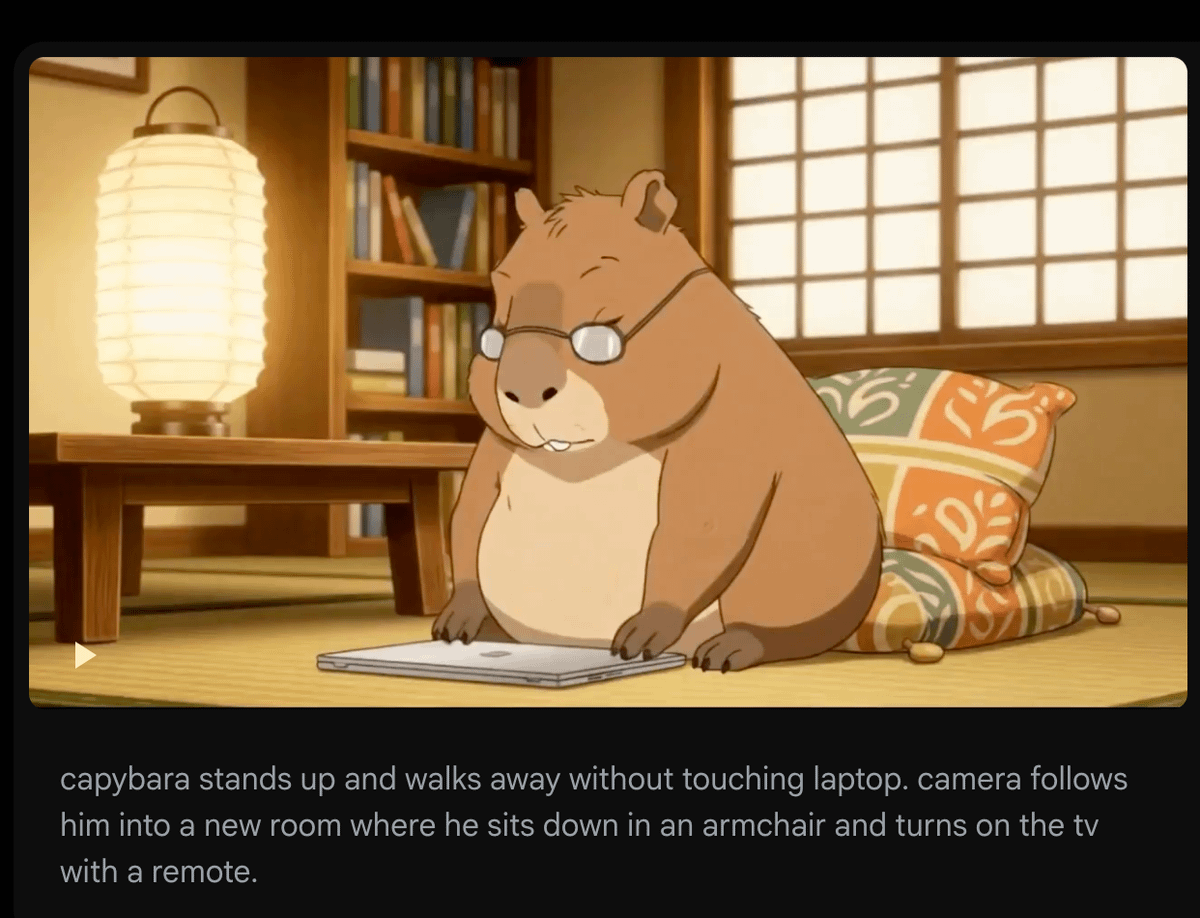
For example - I made a clip of a capybara closing his computer. I used the end frame (here) to drive the next clip, where I wanted him to get up and walk away.

I CLEARLY prompted this over 10+ tries. But because his paws were on the laptop, the model made him open it again every time!
tweet media
(3) You can't upload your own audio, so there's no way to get a consistent character voice across clips.

It sometimes works to prompt traits (e.g. accent, age, intonation). But it's not perfect - listen below to the same man speaking across two generations.

To fix this you can either:
1.) generate clips of a consistent voice on @elevenlabsio, and use them as voiceovers (mute the parts of the Veo video where the person is speaking)
2.) just use @hedra_labs, which makes it much easier!
(4) It's not great at putting the same character in different environments.

If you want to change an outfit or scene but maintain character consistency,  I'd recommend using Flux Kontext (from @bfl_ml) to edit the image first.

In this case, I uploaded the photo of character and asked Kontext (which I use on @krea_ai) to put her on stage in a professional outfit. Then continued with the output as my NEW start frame on Veo 3.
(5) Details sometimes degrade over multiple iterations.

Compare the face of the female speaker (from my first video) in clip #1 vs. #5. It's like a game of telephone - details will change each time, and these compound.

I haven't found a fix to this yet. Thankfully, we're not super sensitive to faces that aren't our own 😂

tweet mediatweet media

Download twitter video from this saved page

TwitterXVideo preserves this conversation so you can download twitter video clips even if the original post disappears, keeping captions, hashtags, and timestamps intact.

Review every reply, attachment, and mention while you download video Twitter HD, GIFs, or audio, making it easy to rebuild the context for reporting and evergreen content.

After you download twitter video assets, translate the copy, refresh hashtags, and queue reposts or ad variants without leaving the saved tweet workspace.

How to download twitter video from this saved page

  1. Click the media thumbnail or download button to download twitter video in HD MP4 or compressed formats for quick sharing.
  2. Select any additional attachments to download video from Twitter GIFs or audio, then store the files alongside your download twitter video projects.
  3. Open the Translate panel to localize the text, update CTAs, and schedule reposts once your download twitter video review is complete.

Why marketers trust this download twitter video archive

  • Archive-friendly metadata keeps download twitter video audits aligned with compliance and rights management teams.
  • Integrated translator localizes captions around each download twitter video asset so global teams stay in sync.
  • One-click sharing pushes download twitter video recaps to teammates, clients, or DAM folders.
  • SEO-optimized slugs help download twitter video case studies rank for branded and campaign keywords.

Download twitter video FAQs

How do I download twitter videos from this saved page?

Press the download button above the media gallery to download twitter video immediately; the system bundles caption data and the original link for reference.

Can I download video from X Twitter in different resolutions?

Yes—choose from multiple bitrates when you download twitter video, including HD MP4 and lighter mobile options.

Does this page let me download twitter videos from private accounts?

You need viewing permission first; once you can see the content, the archive lets you download twitter video securely for approved use.

How can I download twitter video subtitles with the clip?

Use the Translate panel to export captions or create subtitles, then download twitter video together with the transcript for repurposing.

공유
탐색

TwitterXVideo

v1.2.2

Use our fastest way to download twitter video in HD free—no registration required.

facebooktwitterpinteresttumblrwhatsapp

© 2024 TwitterXVideo 모든 권리 보유