Rory Flynn avatar

Rory Flynn

@Ror_Fly

7/24/2025, 3:17:21 PM

Come with me as we build...

A one-click AI-generated Photo Shoot Tool.

With Weavy.

(Full walkthrough in thread) 

WORKFLOWS:
+ Model Designer
+ Clothing Inputs
+ Virtual Try On
+ Catalog Shots

TOOLS:
Workflow Build: Weavy
Nodes: Flux 1.1 Ultra, ChatGPT 4o, Gemini Flash 2.0, Magnific, ChatGPT Img

Pretty obsessed with this tool.
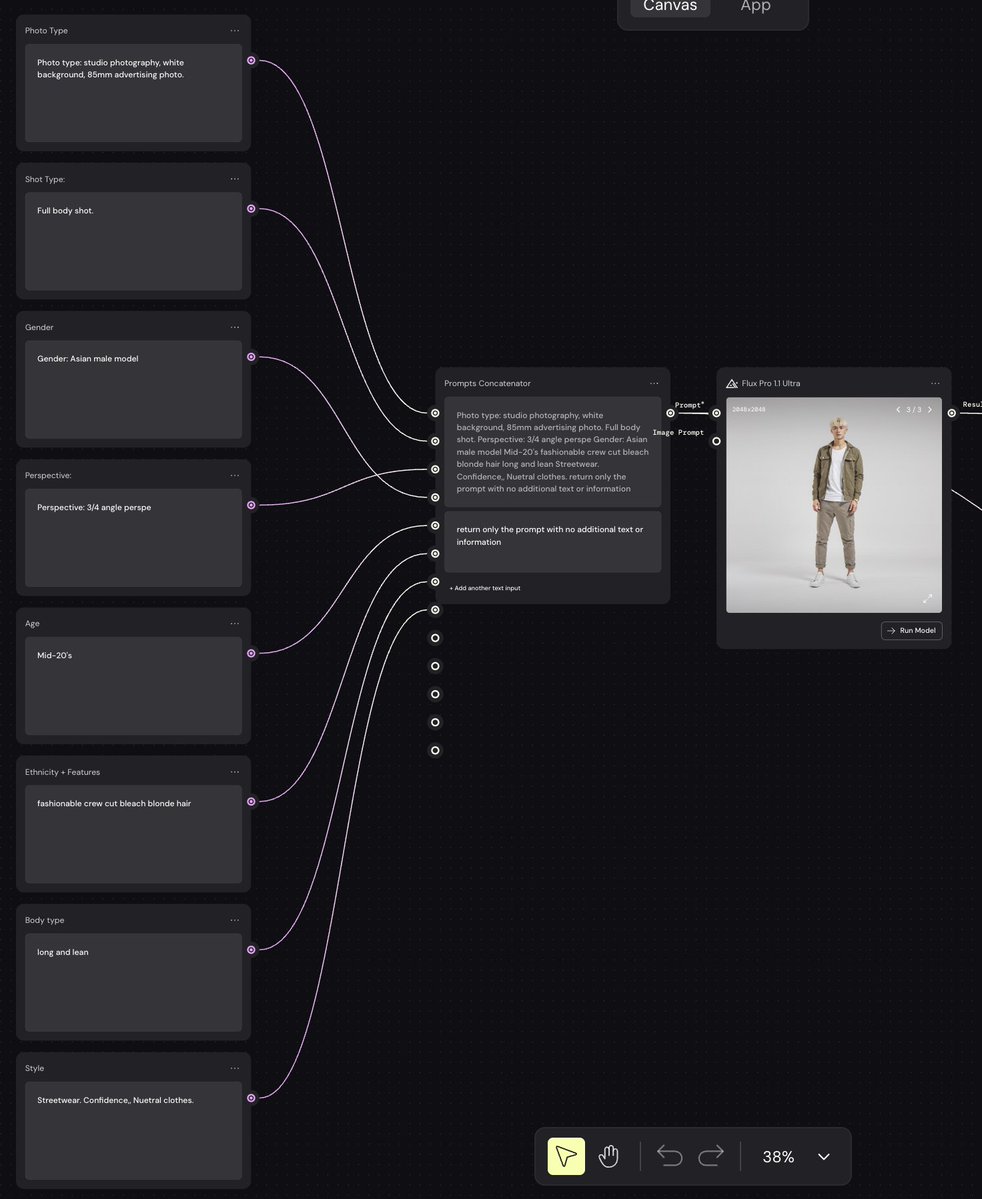
1. Model Designer

- First we need to build a model
- Create text nodes to control each model feature
- Run it to a "prompt concatenator"
- To combine prompt elements together
- Utilized Flux 1.1  

Core Categories:
Gender, age, ethnicity, defining features, hair, body type, etc. https://t.co/LlBZgvOprp
tweet mediatweet media
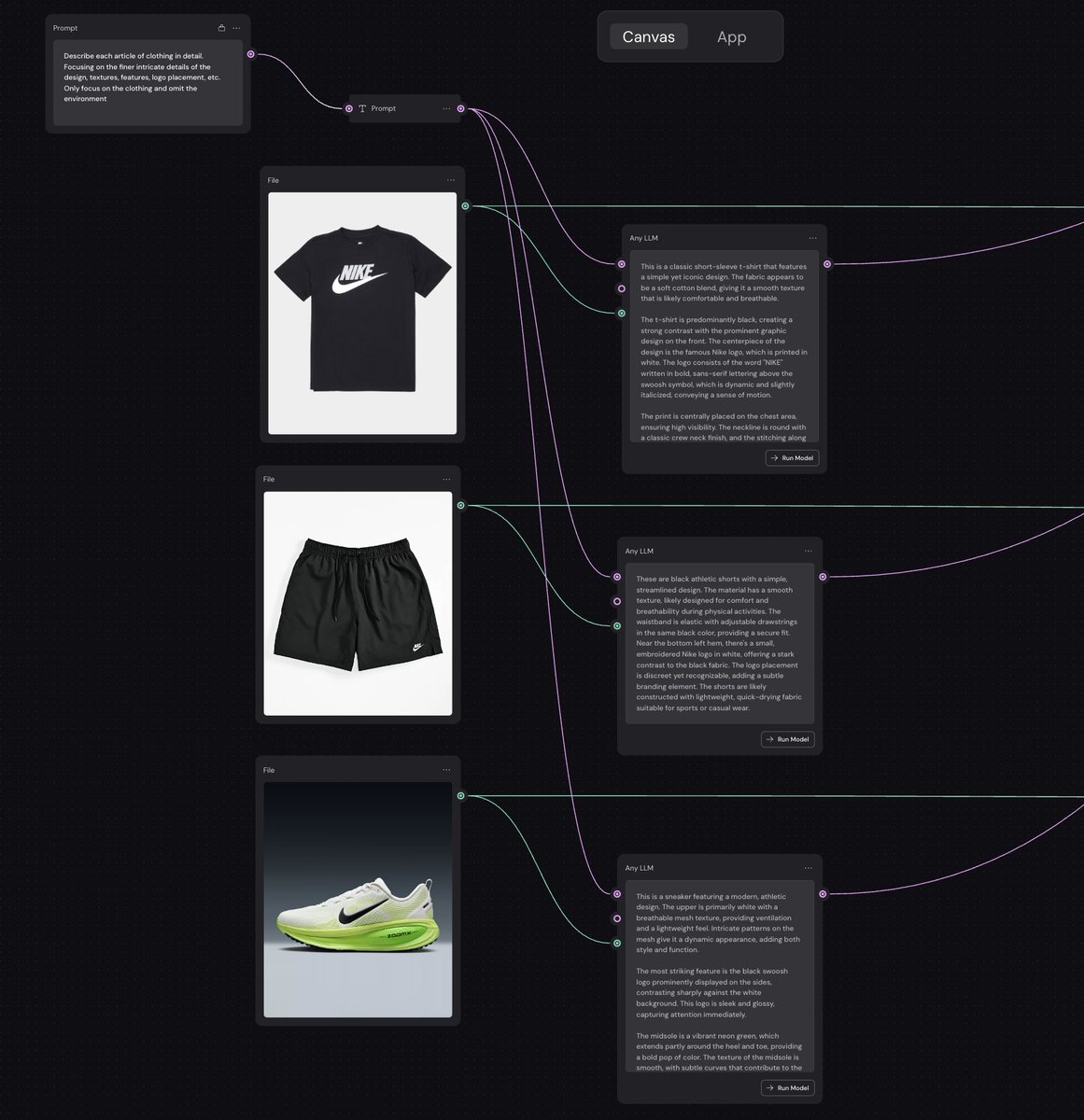
2. Clothing Input

- Create input nodes to place clothing
- I used 3 here...you can use w/e you want
- Create a system prompt to describe clothes
- Run those to an LLM to describe

GPT System Prompt:
Describe each article of clothing in detail. Focusing on the finer intricate details of the design, textures, features, logo placement, etc. Only focus on the clothing and omit the environment
tweet media
3. Virtual Try On 

- Combine images + prompts 
- From the model + clothing
- Run to a prompt concatenator
- Used a prompt enhancer to trim the prompt down
- Used ChatGPT Img to generate try-on
- Magnific to Upscale https://t.co/jjdj3RGW6g
tweet mediatweet media
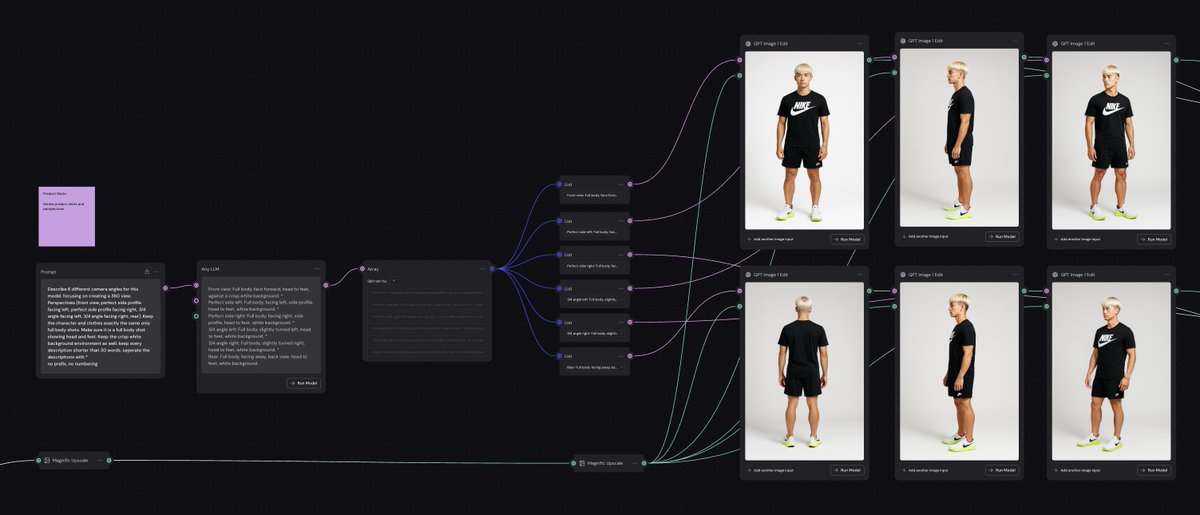
4. Full Body Shots

- We need to generate full body shots
- Create system prompt to create more prompts
- Used LLM to create (6) prompt variations
- Ran that through array and list segmenter
- Connected (6) prompts to (6) GPT Img nodes https://t.co/7zLs3A0bsv
tweet media
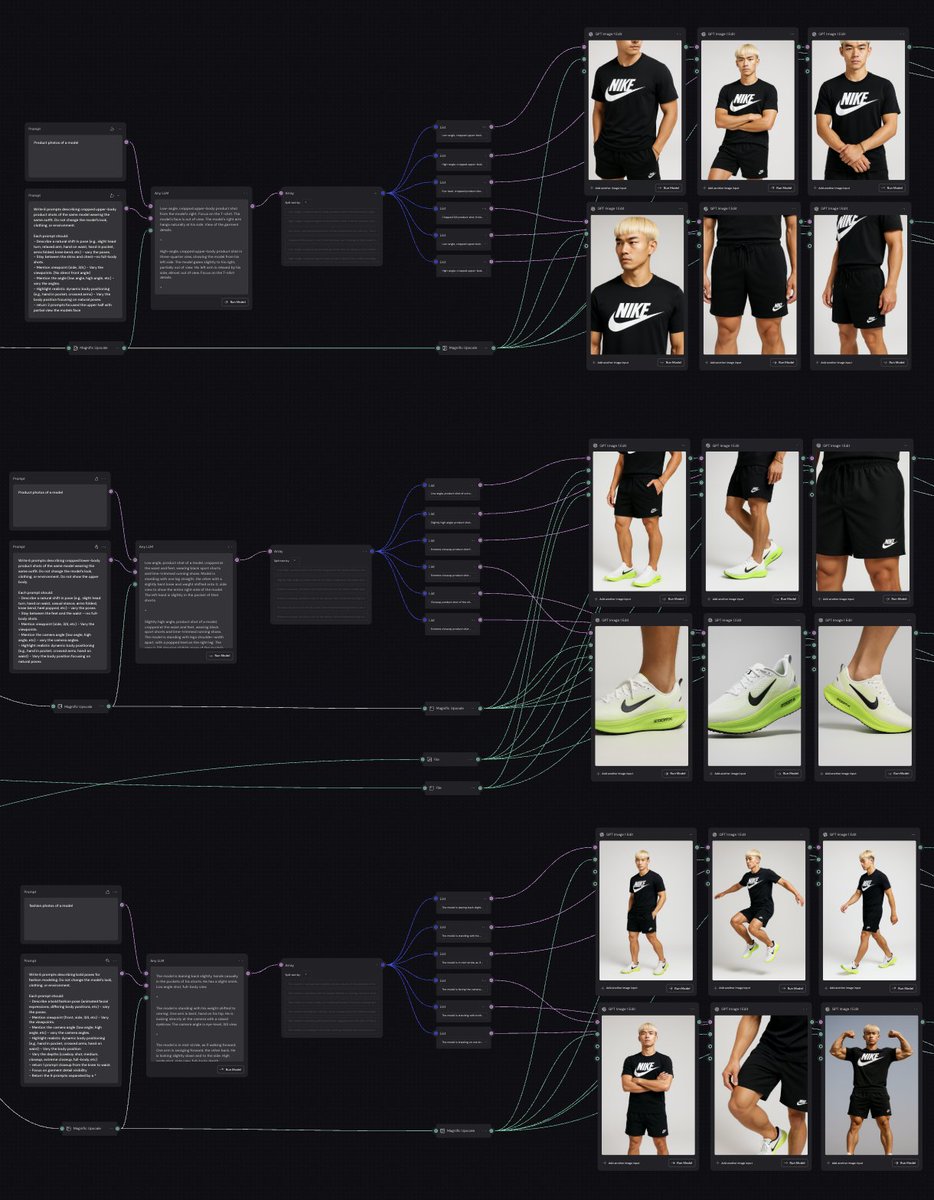
5. Repeat Process

- Repeat the process from last tweet
- For upperbody + lower body + pose shots
- Same nodes, same process, different outcome https://t.co/hv9vAyIOUn
tweet media
7. Output nodes

- Create output nodes for each img
- So you can open this in a webapp
- Then you won't see all the spaghetti strings. https://t.co/MDrBncKFJ4
tweet media
8. Web App

- Once output nodes are added
- You can switch to "app view" 
- Then you just repormpt model's appearance
- Add different clothes 
- And generate 24 new images 
- With one click https://t.co/YMcjxUslsJ
9. Weavy.

- It's just an awesome tool
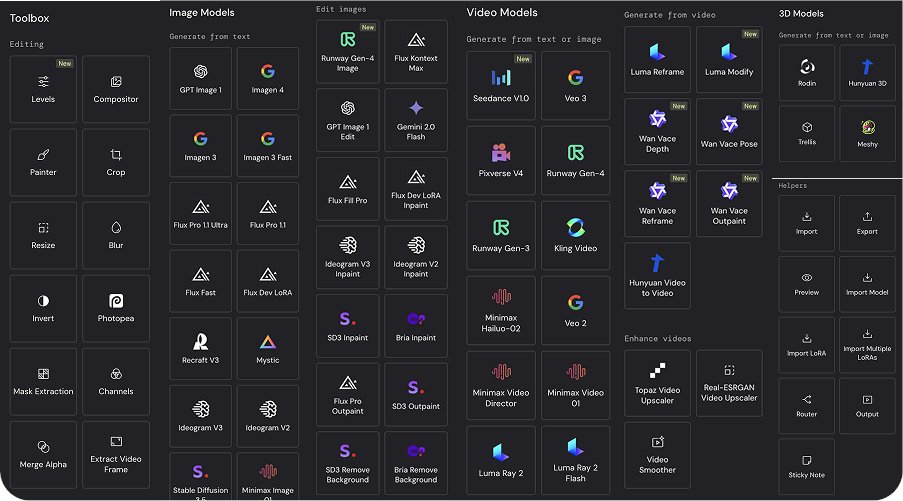
- With 100+ tools in one workspace
- It's infinite possibilities.
- Check the workflow for yourself 👇

Full Workflow Here → https://t.co/AIRVm6RhI0 https://t.co/QO4wedCliA
tweet media
@Weavy_ai Thanks for coming down the rabbit hole.

Will be building more tools with weavy soon.

https://t.co/vMY3heuEQr

Download twitter video from this saved page

TwitterXVideo preserves this conversation so you can download twitter video clips even if the original post disappears, keeping captions, hashtags, and timestamps intact.

Review every reply, attachment, and mention while you download video Twitter HD, GIFs, or audio, making it easy to rebuild the context for reporting and evergreen content.

After you download twitter video assets, translate the copy, refresh hashtags, and queue reposts or ad variants without leaving the saved tweet workspace.

How to download twitter video from this saved page

  1. Click the media thumbnail or download button to download twitter video in HD MP4 or compressed formats for quick sharing.
  2. Select any additional attachments to download video from Twitter GIFs or audio, then store the files alongside your download twitter video projects.
  3. Open the Translate panel to localize the text, update CTAs, and schedule reposts once your download twitter video review is complete.

Why marketers trust this download twitter video archive

  • Archive-friendly metadata keeps download twitter video audits aligned with compliance and rights management teams.
  • Integrated translator localizes captions around each download twitter video asset so global teams stay in sync.
  • One-click sharing pushes download twitter video recaps to teammates, clients, or DAM folders.
  • SEO-optimized slugs help download twitter video case studies rank for branded and campaign keywords.

Download twitter video FAQs

How do I download twitter videos from this saved page?

Press the download button above the media gallery to download twitter video immediately; the system bundles caption data and the original link for reference.

Can I download video from X Twitter in different resolutions?

Yes—choose from multiple bitrates when you download twitter video, including HD MP4 and lighter mobile options.

Does this page let me download twitter videos from private accounts?

You need viewing permission first; once you can see the content, the archive lets you download twitter video securely for approved use.

How can I download twitter video subtitles with the clip?

Use the Translate panel to export captions or create subtitles, then download twitter video together with the transcript for repurposing.

공유
탐색

TwitterXVideo

v1.2.2

Use our fastest way to download twitter video in HD free—no registration required.

facebooktwitterpinteresttumblrwhatsapp

© 2024 TwitterXVideo 모든 권리 보유